Yeet your homelab.Your service just runs.
Point yeet at a Linux host and deploy from your workstation. Bring the payload you already have; catch turns the host into the service layer instead of making you build one first.
yeet init root@<host>
yeet run app ./compose.yml
yeet logs -f app
yeet rm appWhy yeet exists
Proxmox and Unraid are useful when you want an appliance. Yeet is for the other case: you have a Linux box and something to run. The workflow stays local and declarative: pick the thing you want to deploy, point yeet run at it, and let catch do the host-side work. No control panel first. No rebuilding half a cloud just to ship one app. Just yeet it and let it run.
Bring what you have
Compose app, Dockerfile, image ref, binary, script, cron job, or microVM. Yeet should not make you repackage it before it can run.
Use normal Linux parts
Catch sets up pieces Linux already knows how to run: systemd units and timers, Docker/Compose projects, network namespaces, service directories or ZFS datasets, and Firecracker VM disks.
Service management
Catch handles generations, status, logs, port changes, service networks, per-service Tailscale identities, ZFS roots, and recovery snapshots.
Declarative config
Keep payload files and yeet.toml in one service workspace. The config records the host, payload, ports, service root, snapshots, and deploy shape.
CLI first. Web when useful.
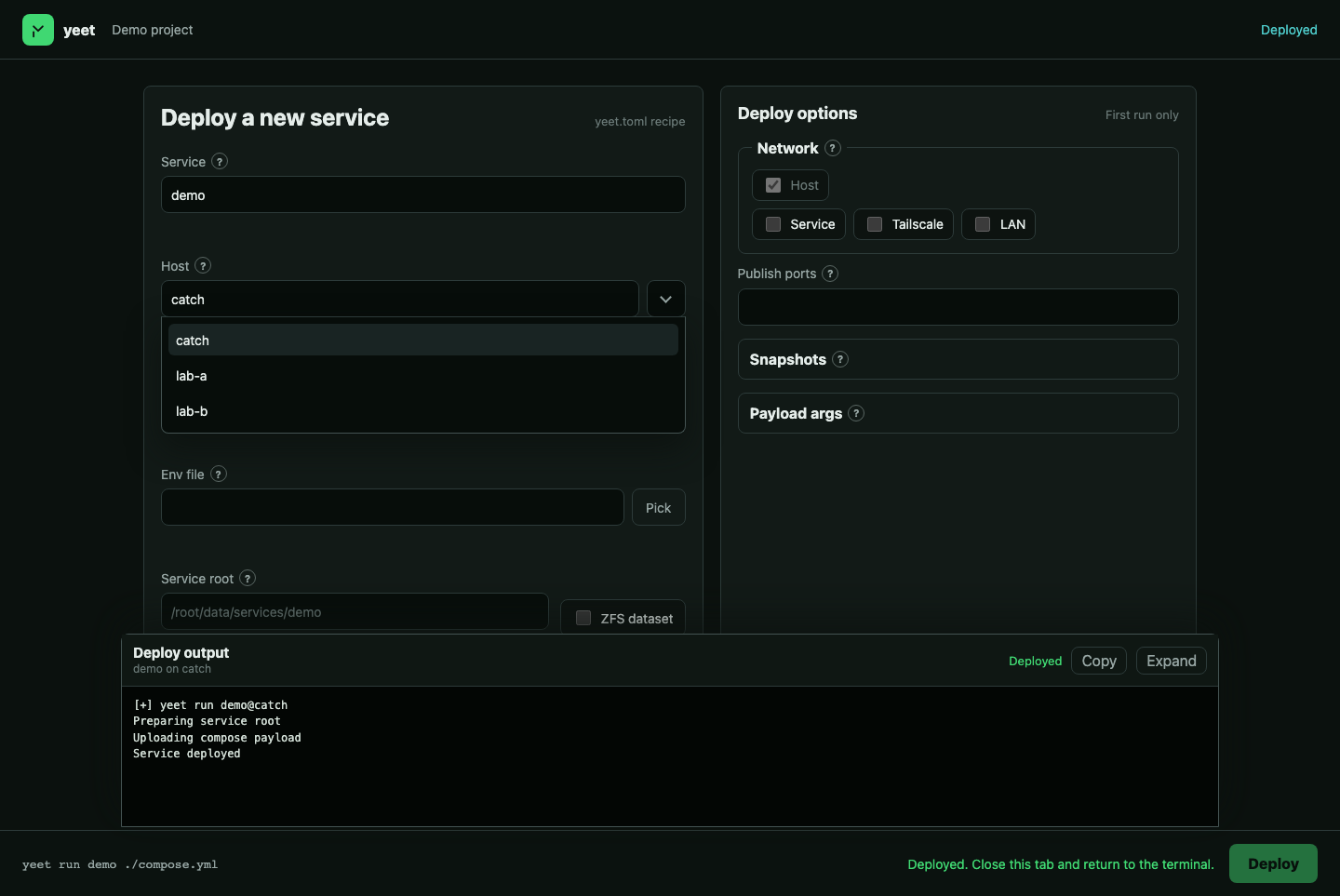
yeet run is the normal path when you know the shape. Add --web when you want a local form instead of memorizing every flag: service name, payload, storage, ports, and network settings. It writes the same declarative yeet.toml and streams the deploy output.